
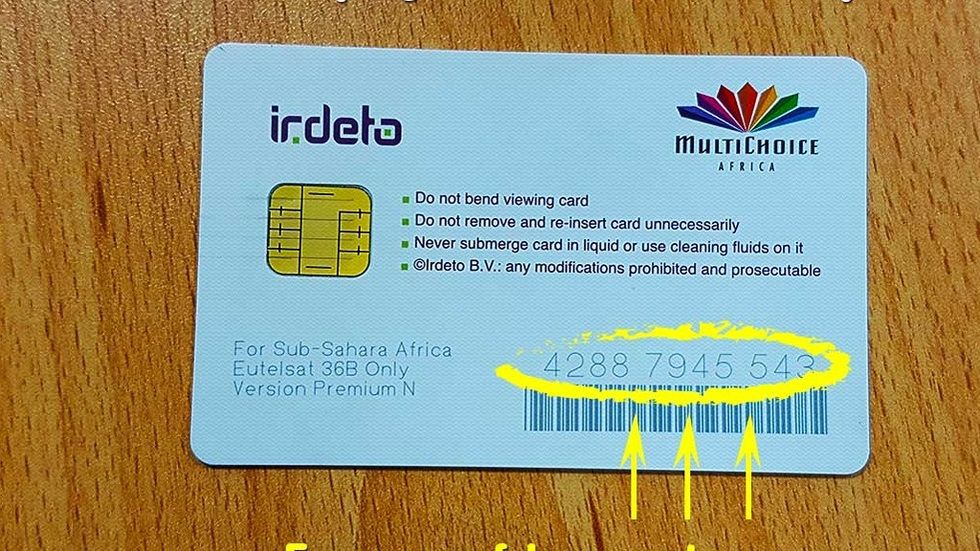
If your DSTV decoder is showing a smartcard error, it can be very annoying because it usually stops you from watching any channel at all. Many Nigerians experience this problem, especially after power failure, moving the decoder, or when the smartcard is dirty or damaged.
A DSTV smartcard error can show different messages like:
Smartcard error
Please insert smartcard
E30 error
E04 error
No smartcard detected
Smartcard is not authorised
The good thing is that most DSTV smartcard errors can be fixed at home without paying a technician.
In this guide, you will learn what causes DSTV smartcard errors in Nigeria and the exact steps to fix them quickly.
What Is a DSTV Smartcard Error?
A DSTV smartcard error happens when your decoder is unable to read or recognize the smartcard inserted inside it.
The smartcard is what connects your subscription account to your decoder. If the decoder cannot read it properly, you will not have access to channels, even if you have an active subscription.
Common Causes of DSTV Smartcard Error in Nigeria
There are many reasons DSTV smartcard errors happen. Below are the most common ones.
Dirty or dusty smartcard
Dust can prevent the decoder from reading the smartcard properly.
Wrong smartcard insertion
If the smartcard is not inserted properly, the decoder will show error.
Weak or damaged smartcard
Over time, smartcards can become weak, scratched, or damaged.
Decoder smartcard slot problem
Sometimes the slot inside the decoder becomes faulty or loose.
Power surge or unstable electricity
Power surge can affect the decoder and make it stop reading the card.
Moving the decoder frequently
If you move your decoder around too much, the smartcard slot can loosen.
Moisture or rust inside the decoder
If moisture enters the decoder, it can affect the card reader.
Common DSTV Smartcard Error Messages and What They Mean
Here are some common DSTV smartcard errors Nigerians see.
DSTV Error E30
This usually means the smartcard is inserted wrongly or the decoder cannot read it.
Please Insert Smartcard
This means the decoder is not detecting any card at all.
Smartcard Not Authorised
This means the card is detected but not activated or not linked properly.
E04 Error
This can happen when the smartcard is not properly recognized.
How to Fix DSTV Smartcard Error in Nigeria
Follow these solutions one after the other. In most cases, the issue will be fixed before you finish all the steps.
Step 1: Switch Off Your Decoder Completely
Before touching the smartcard, switch off your decoder properly.
Do this: Switch off the decoder using the power button Unplug it from electricity Wait for about 2 minutes
This prevents damage and allows the system to reset.
Step 2: Remove the Smartcard and Clean It
Now remove the smartcard gently.
Clean it using: A dry soft cloth Clean tissue paper
Do not use water, spirit, or any liquid because it can damage the card.
Also check if the card has: scratches black stains burn marks
If it looks badly damaged, it may need replacement.
Step 3: Insert the Smartcard Correctly
Insert the smartcard back carefully.
Make sure: It is facing the correct direction It is properly pushed inside It is not loose
Some DSTV decoders have a label showing the correct way to insert it.
If the card is inserted wrongly, the error will still show.
Step 4: Restart the Decoder
After inserting the card: Plug the decoder back to power Switch it on Allow it to boot fully
Wait for a few minutes and see if the error disappears.
Step 5: Reset Your Decoder Through MyDStv App
Sometimes the card is detected but needs authorization.
To reset your decoder: Open MyDStv App Login to your DSTV account Select Manage Tap Reset Decoder Choose your smartcard number Click Reset
After doing this, leave the decoder on for 10 to 20 minutes.
This can clear smartcard authorization errors.
Step 6: Check If Your Subscription Is Active
If your smartcard is fine but your subscription is not active, you may still see errors.
Check your subscription using: MyDStv app DSTV website SMS confirmation
If your subscription has expired, renew it and reset the decoder.
Step 7: Check the Smartcard Slot for Dust
Sometimes the slot inside the decoder is dusty.
If you suspect this: Use a small air blower if available Gently blow into the smartcard slot Do not use sharp objects inside the slot
Then insert the card again and restart.
Step 8: Try the Smartcard on Another Decoder (If Possible)
If you have someone nearby using DSTV, you can test your smartcard on their decoder.
If the card works there, it means your decoder card slot is faulty.
If the card does not work there, it means your smartcard is damaged.
Step 9: Check If Your Decoder Needs Software Update
Some DSTV errors happen due to outdated decoder software.
If your decoder has signal: Leave it on for some time It may update automatically
Software updates usually happen when the decoder is left on.
Step 10: Contact DSTV Customer Care for Smartcard Replacement
If you have tried everything and the error remains, your smartcard may need replacement.
You may need to visit a DSTV office or dealer in your area.
When going there, take: Your decoder Your smartcard Any proof of subscription if available
DSTV will test the card and replace it if necessary.
How Much Does DSTV Smartcard Replacement Cost in Nigeria?
The cost depends on your location and DSTV policies, but replacement is usually affordable compared to buying a new decoder.
If you go through official DSTV office, it is safer than buying random smartcards from roadside dealers.
How to Prevent DSTV Smartcard Error in Nigeria
To avoid this issue in the future:
Avoid removing the smartcard unnecessarily
Keep your decoder in a dry place
Use a surge protector to prevent power damage
Do not allow dust to enter the decoder
Avoid moving the decoder too often
Frequently Asked Questions
Why is my DSTV showing smartcard error even after inserting the card?
The card may be dirty, damaged, or not properly inserted. Remove it, clean it, and reinsert properly.
What does DSTV Error E30 mean?
E30 means your decoder cannot read the smartcard properly.
Can DSTV smartcard error be caused by power surge?
Yes. Power surge can damage the decoder card reader and cause smartcard errors.
Can I fix smartcard error without calling a technician?
Yes. Most smartcard errors can be fixed by cleaning the card and reinserting it correctly.
What if my smartcard is damaged?
You will need to visit a DSTV office or dealer to replace it.